

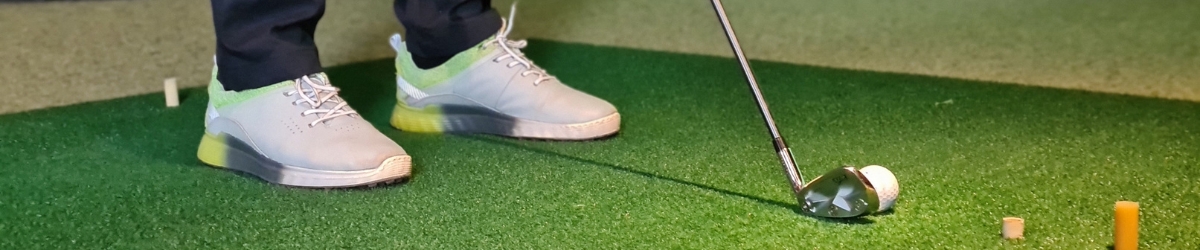
A technical selection guide for golf professionals, coaches, simulator builders and golfers who want to see more than smooth slow-motion footage.
When choosing a camera to record a golf swing, the first specification people usually look at is the frame rate. That is understandable: the more frames a camera captures during the downswing, the smaller the movement between two consecutive positions. Yet frame rate alone is rarely what determines whether a recording is useful. In practice, we regularly see systems that record well over 100 frames per second but still fail to show the club clearly around impact. The video looks smooth, but the information the camera was installed to capture is missing.
This happens because a camera has to do two things at the same time. It must capture frames frequently enough, while exposing each individual frame for a sufficiently short period. The first determines how many moments of the swing are recorded. The second determines how far the club moves within a single frame. A camera can therefore achieve a high frame rate while still using a long exposure time. On paper it may be a high-speed recording, but in the image the club remains little more than motion blur.
A suitable camera system therefore does not start with the question of which camera offers the highest frame rate. The first step is to define what needs to be assessed in the image. Hip rotation, head position and weight transfer place different demands on the system than the position of the clubface immediately before impact. The available space also has a major influence: how much distance is available between the camera and the golfer, does the entire body need to be visible, where can the computer be positioned and is there room for additional lighting? Only once these questions have been answered do resolution, sensor size, lens and cable become meaningful specifications. Our range of golf cameras brings together the cameras, lenses, USB3 cables and mounting components used in these setups.
Why an industrial camera works differently
A conventional video camera is designed to produce an attractive image immediately under changing conditions. Automatic exposure, autofocus, image stabilisation and internal image processing help the user achieve this. For swing analysis, however, those same functions can work against you. When the camera changes its shutter speed, gain or focus during a session, two recordings are no longer captured under identical conditions. A dark shirt, a window in the background or a player standing slightly closer to the camera may already be enough to change how the camera responds.
An industrial machine vision camera is more straightforward, but provides far greater control. Exposure time, gain, frame rate, resolution and the sensor region of interest can all be set independently. This allows every swing to be recorded with the same settings. That does not automatically guarantee a good image; an incorrect setting remains incorrect. The main advantage is that the cause of a problem can be identified and corrected. When the club appears blurred, the exposure time and available light must be examined. When the field of view is incorrect, the lens and working distance can be recalculated. The camera does not make automatic decisions in the background that change the result.
The shutter type is also important when recording fast movement. Many consumer cameras read the sensor line by line. With this type of rolling shutter, the bottom row of the image is captured slightly later than the top row. A fast-moving shaft or club can therefore appear skewed or bent even though it is not actually distorted. This can happen even when the recording looks reasonably sharp. A global shutter sensor exposes all pixels at the same moment, preserving the geometry of the club and the golfer’s body. For serious analysis, this is more important than producing an attractive video image: the recording must not only look sharp, but must also represent the movement correctly.
Frame rate only matters when each frame is sharp
The speed of a golf club shows how little time is actually available. Consider a clubhead speed of 45 metres per second, or approximately 101 mph. In one millisecond, the clubhead travels around 45 millimetres. Even when the exposure time is reduced to 0.1 milliseconds, it still moves approximately 4.5 millimetres during that single exposure. The camera therefore never freezes the movement completely. The technical decision is about how much movement within one frame is acceptable for the part of the swing that needs to be examined.
For many coaching applications, a frame rate of around 120 fps or higher is a practical starting point. This divides the downswing across enough frames to review the movement properly. A higher frame rate creates smaller time intervals and smoother slow-motion playback, but it also places greater demands on the camera, the USB3 connection and the computer. In addition, less exposure time is available for each frame. Without sufficient light, a higher frame rate will therefore produce either a darker image or require more gain, which increases image noise.
For this reason, we never assess frame rate separately from exposure time. A sharp recording at 120 fps may provide more useful information than a blurred recording at 250 fps. Someone primarily analysing body position and swing plane does not necessarily need the same recording speed as someone studying the club frame by frame around impact.
Lighting is not a secondary consideration in this process. A shorter exposure means that the sensor receives less light. Opening the aperture helps, but reduces the depth of field. Increasing the gain makes the image brighter, but also amplifies noise. Additional, evenly distributed lighting generally produces the best result. Particular care is required with dimmable LED lighting in simulator rooms. Some LEDs flicker too quickly for the human eye to notice, while a camera using a short exposure captures alternating bright and dark phases. Variations in brightness or bands across the image may then incorrectly be blamed on the camera.
The available space determines the field of view and lens
Lens selection starts with the available distance between the camera and the golfer. The camera must be positioned high enough and far enough away to capture the complete movement, but space is often limited in an indoor golf simulator. A short focal length provides a wider field of view, but also makes differences in distance and proportion appear more pronounced. Objects closer to the camera look larger than objects farther away. A longer focal length produces a more natural-looking image when used from a greater distance, but it will not fit every room. Comparing only the focal length printed on the lens is therefore of limited value, because the camera’s sensor size also determines how much of the scene is captured.
For a field of view of approximately two by two metres, a difference of only a few millimetres in focal length can already have a noticeable effect. With a suitable sensor, a focal length of around 4.7 mm may provide the required field of view at a working distance of approximately two metres, while 6 mm may require closer to 2.6 metres and 8 mm even more. These are not universal installation rules; they simply demonstrate why the lens, sensor and working distance must be considered together. The exact field of view must be calculated for the selected camera.
The Kowa LMVZ4411, a 4.4 to 11 mm zoom lens, is widely used in this market. The advantage of a zoom lens is not that zooming is technically superior to using a fixed focal length, but that it gives the installer some flexibility during setup. Within its adjustment range, the field of view and framing can be fine-tuned without immediately replacing the lens. Once the correct settings have been found, the zoom, focus and aperture must be secured. Otherwise, even a small touch can change the geometry of the next recording.
The required resolution follows from the same field of view. When the golfer is visible from head to toe, the available sensor pixels are spread across a large area. More pixels can make smaller details visible, but only when the focus, lens quality and exposure allow that detail to reach the sensor. A higher resolution also increases the data rate and may reduce the maximum frame rate. The best camera is therefore not automatically the model with the highest megapixel count, but the one that provides sufficient detail within the required field of view at the desired recording speed.
Face-on and down-the-line are not identical camera positions
In a face-on recording, the camera is positioned perpendicular to the direction of play. The full width of the golfer’s stance and body movement must remain visible, while the hands and club must still be captured with sufficient detail. A larger sensor or higher resolution can be useful when the wide field of view may need to be enlarged during later analysis. The camera is preferably positioned around hand or hip height and aimed at the golfer as squarely as possible. A camera positioned too high or too low changes the apparent proportions in the image. Which movements can be seen from face-on and down-the-line views therefore depends not only on the golfer, but also on the position and alignment of the camera.
A down-the-line camera looks along the direction of play and places particularly high demands on alignment. Moving the camera only a few centimetres to the left or right can already change how the club appears in relation to the hands and body. To compare different sessions, the camera position must therefore be reproducible. A fixed wall mount or sturdy tripod fitted with a suitable tripod adapter and placed at a marked position is more valuable than a lighter setup that has to be repositioned by eye before every training session.
Because the two viewpoints require different framing and serve different analytical purposes, the cameras do not necessarily have to be identical. The higher resolution and larger sensor of the IDS U3-3060CP can make it an attractive option for the position that requires a wider field of view or more detail. The IDS U3-3040CP can be a good choice as the second camera when less resolution is required and a high frame rate is more important. Two identical cameras are easier to manage, but combining different models may offer a better technical and commercial solution.
For a complete setup, both models are available as golf swing camera sets with a Kowa zoom lens, a 5-metre USB3 cable and a tripod adapter. The golf swing camera set with the U3-3040CP focuses on a high frame rate and a compact sensor. The golf swing camera set with the U3-3060CP offers a larger field of view and higher resolution. The most suitable set is therefore determined primarily by the camera position, the available working distance and the level of detail that must remain visible throughout the swing.
USB3 cables: 1, 3 and 5 metres are not simply the same cable in different lengths
In a fixed installation, the computer is rarely positioned directly next to both cameras. The USB3 cable therefore becomes part of the system design. With a good industrial cable of one or three metres, establishing a reliable connection is normally straightforward. Five metres is also commonly used, but the available signal margin decreases as a USB3 cable becomes longer. Cable quality, connectors, the USB controller in the computer and the required data rate together determine whether the connection remains stable.
This becomes particularly noticeable when two cameras operate simultaneously at high frame rates. Two USB ports on the outside of a computer do not automatically mean that each camera has its own controller and access to the full bandwidth. The ports may share the same internal connection. Each camera may work perfectly on its own, while simultaneous recording causes dropped frames or prevents the cameras from reaching the configured frame rate. This is not a reason to dismiss USB3, but it does mean that the complete data path must be checked.
For distances of ten metres or more, we do not use a chain of passive extension cables. An active USB3 extension or an AOC cable is designed for this purpose. An AOC cable transports the high-speed data signal through optical fibre. The cable is directional, and a short standard USB3 cable is usually still required at the camera end, preferably around one metre and, depending on the specific cable, no more than a few metres. The camera power supply must also be correctly provided within the selected solution.
A good golf swing camera is part of a balanced setup
The camera is at the heart of the recording system, but it does not determine image quality on its own. A global shutter prevents geometric distortion, the exposure time limits motion blur, the lighting makes that short exposure possible, the lens matches the required field of view to the available working distance and the USB3 connection transfers the images to the computer. When one component is selected without considering the rest of the system, a compromise will appear elsewhere.
For an existing room, we therefore begin with its dimensions and the two required camera positions. The field of view is then determined for each position, followed by the sensor and lens. Only after that are the frame rate, exposure and lighting tested in practice. Finally, the cable routing, USB controller, recording computer and mounting arrangement are considered. This sequence prevents a camera from being selected on the strength of one attractive specification, only to discover later that the lens does not suit the room or that the computer cannot process two simultaneous image streams.
Once the setup has been optimised, the exposure time, gain, resolution, frame rate, region of interest, focus, aperture and zoom position are documented. The camera distance, mounting height and viewing direction also form part of this configuration. This makes the setup reproducible and allows recordings from different sessions to be compared properly. That is the difference between a camera that simply produces slow-motion video and a camera system that can be used as a reliable tool for swing analysis.
The available cameras, lenses, USB3 cables and mounting options are summarised in the technical golf flyer. Those who already know the required viewing angle and camera position can use the complete golf range to go directly to the appropriate camera, set or accessory. When in doubt, it is still better to define the field of view, working distance and desired recording speed first. This allows the configuration to be selected correctly without having to replace the lens, cable or camera afterwards.