

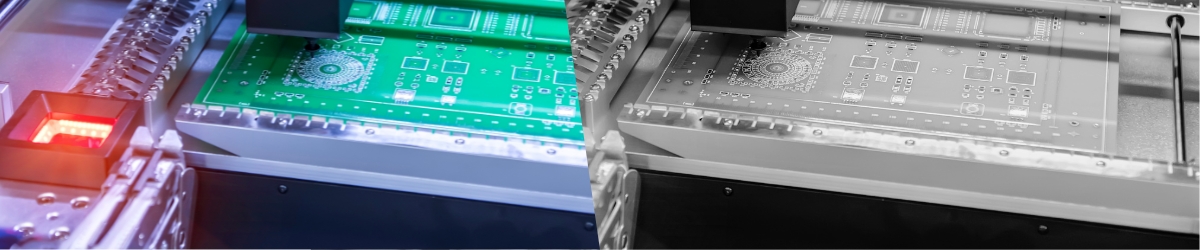
In machine vision, new applications often start with the assumption that a color camera is the logical choice. I see this especially in AI inspection. A color image feels natural, because we as humans also see in color. It provides more visual context and makes the image easier to interpret.
For a vision system, that is not always the right way to think. A machine vision system does not look at a product in the same way an operator does. The software works with contrast, intensity, edges, texture, shape, position, color values or a combination of these. The most important question is therefore not whether the image looks natural, but which image information is needed to reliably distinguish between good and bad.
In practice, you usually choose a monochrome camera when the inspection is based on contrast, edges, OCR, codes, dimensional inspection, presence detection or speed. You choose a color camera when color itself is part of the inspection decision, for example in color inspection, discoloration, labels, color sorting or AI applications where color demonstrably adds value.
Start with the inspection task, then choose the camera
The choice between monochrome and color does not start with the camera. It starts with the inspection task. What does the system really need to see? Is it an edge, text, a code, a contour, a surface defect, a position or a color difference?
If color does not play a direct role in the decision, monochrome is often the most robust starting point. You usually get higher light sensitivity, a sharper usable image and simpler image processing. If color is part of the good or bad decision, then a color camera is a logical choice. But even then, you still need to determine whether a standard Bayer color camera is sufficient, or whether the application requires more. Think of specific lighting, filters, a 3 sensor prism camera or a setup with a monochrome camera and separately triggered RGB lighting.
Once the choice between monochrome and color has been made, the rest of the camera selection can begin. You then look at resolution, sensor size, pixel size, field of view, lens, interface, frame rate and exposure time. These choices can only be made properly once it is clear which image information the inspection needs.
Why monochrome is often the best technical foundation
A monochrome camera records light intensity. Each pixel directly provides a grayscale value. There is no color filter pattern on top of the sensor that blocks part of the light or requires color information to be reconstructed from surrounding pixels. This makes a monochrome camera more sensitive, sharper and easier to use in many situations.
This is especially true when short exposure times, small details, edge detection, dimensional inspection, OCR or code reading are involved. In many inspections, color is not the relevant information. An edge is a transition in intensity. A scratch is often a local contrast difference. A data matrix code mainly needs to be sharp and visible with sufficient module contrast. A contour for robot guidance does not need to be recognized in color, but it does need to be extracted from the image in a stable way.
That is why, in practice, I often start with the question: can I solve the problem with grayscale contrast? If the answer is yes, then monochrome is usually the most robust route. This does not mean that color is wrong. It does mean that color only adds value when color information is truly part of the inspection decision.
When a color camera is needed
You use a color camera when color itself is relevant to the inspection. For example, when a product needs to be sorted by color, when a cap must have the correct color, when colored wires need to be identified or when a label must not only be present, but also printed in the correct color.
Color information can also be important for discoloration, ripeness, contamination or material differentiation. In these applications, a monochrome camera may not provide enough information, because the difference between good and bad is not only found in light intensity, but also in the relationship between red, green and blue.
In AI applications, this is a bit more nuanced. Color is often considered automatically, because training images in color are easier for people to interpret. But a neural network does not always need color. If the difference between good and bad is mainly found in shape, structure, damage, texture or presence, a monochrome image may be sufficient. Sometimes it is even better, because you introduce less variation.
Color can help an AI model when color is a real feature. But color can also become noise when light color, white balance, reflections or product variation are not properly controlled. In that case, the model may learn unwanted variation instead of the actual inspection feature.
The Bayer pattern and effective resolution
Most industrial color cameras use a Bayer pattern. This means that color filters are placed above the pixels on the sensor. Usually this follows a red, green, green, blue pattern. Each pixel therefore does not measure full color information, but only one color component. The color value for each pixel is then calculated from surrounding pixels. This process is called demosaicing.
For normal image display, this works well. For machine vision, you need to be aware of it. A 5 megapixel color camera with a Bayer pattern is not the same as a 5 megapixel monochrome camera when you look at effective detail detection. The sensor has the same number of pixels, but the color information is spatially reconstructed.
This can influence fine structures, small defects, narrow edges and objects that are only a few pixels in size. Especially when the inspection is close to the resolution limit, this must be considered in the camera selection. With a monochrome camera, every pixel contributes directly to the image. With a Bayer color camera, the final color image is partly calculated.
This does not mean that Bayer color cameras are poor cameras. They are perfectly suitable for many applications and are often the standard choice for color imaging. But they should not be compared one to one with monochrome cameras as if only the megapixel count matters.
When color inspection is critical and you do not want to lose spatial color information, 3 sensor color cameras with a prism are also available. In these cameras, incoming light is optically split onto three separate sensors for red, green and blue. This gives each color channel its own full sensor information. These cameras are technically stronger for accurate color inspection, but they are also more expensive, larger and less common than Bayer color cameras.
For most applications, a Bayer color camera is sufficient. For critical color measurement or applications where both color and pixel level detail are important, a 3 sensor camera can become interesting.
Do you always need a color camera to recognize color?
No. That is something that is often overlooked. If you only need to distinguish between two clearly different colors, you can sometimes solve this with a monochrome camera and an optical color filter. You do not use a full color image, but instead make the color difference visible as grayscale contrast.
Suppose color A reflects a lot of light within a certain wavelength range, while color B reflects much less. With the right lighting and the right filter, a monochrome camera can see this as a clear bright dark difference. For the software, that is often enough.
This can be a more stable solution than a color camera, especially when speed, light sensitivity or simplicity are important. The inspection is reduced to a well controlled contrast problem. And that is exactly where classical machine vision is strong.
You do need to test this with real products. Color differences that look obvious to the human eye are not always obvious under industrial lighting. The opposite can also happen: colors that look similar to us may be optically easy to separate with the right wavelength and filter combination. When filters play an important role, you should not only look at the camera. A machine vision filter can help increase contrast, reduce reflections and block unwanted light.
Building color information with a monochrome camera and RGB lighting
There is another option: combining a monochrome camera with separately controlled RGB lighting. With this method, you capture multiple images of the same object. One image with red illumination, one with green illumination and one with blue illumination. From these separate grayscale images, you can then derive color information or even build a combined color image.
In practice, this can be done with RGB ring lights or RGB dome lights, for example. Some versions also have a fourth channel with white light. To control this, you need a lighting controller that can trigger the different channels separately and at the right moment.
This approach is not suitable for every application. The object must remain stationary during the captures, or the movement must be exactly controlled. With fast products on a conveyor belt, that is not always practical. But for stationary inspection, indexing machines or controlled trigger positions, it can be an interesting solution.
The advantage is that you keep the sensitivity and sharpness of a monochrome camera, while still building color related information. In addition, you can optimize the illumination per color channel. That sometimes gives more control than one standard color image with white light.
For an automation engineer, this does mean that the timing must be correct. Camera trigger, lighting trigger, exposure time and product position must be aligned. If they are not, you are comparing images that do not capture the exact same object moment.
When camera, lighting, trigger timing, software and machine control need to work together, it becomes more than just a camera choice. It becomes part of how the vision system is integrated into the machine or production line. More about that approach can be found on the page about integrating a machine vision system yourself.
OCR and code reading
For OCR, barcodes and data matrix codes, I usually choose monochrome. With OCR, you do not need a nice color image. You need a stable image in which characters can be segmented properly. The software must distinguish between the character and the background.
That requires sharpness, contrast, enough pixels per character and as little reflection or motion blur as possible. The same applies to barcodes and data matrix codes. The code must be sharp, low in distortion and visible with sufficient module contrast. In many cases, color information adds nothing.
A color camera can be useful when the code or text is part of a broader label inspection where color also needs to be checked. But if the task is only OCR or code reading, monochrome is usually simpler and more robust.
AI inspection: use color deliberately
In AI inspection, it is better not to automatically start with color, but to treat color as a variable that must be tested. If color supports the distinction between good and bad, use color. Think of brown spots on food, discoloration in plastic, color differences between parts or labels where color is decisive.
If the inspection feature is mainly geometric or structural, also test monochrome. Think of cracks, scratches, deformation, missing parts, dents, edges or contamination that is mainly visible as contrast or texture.
For AI training, consistency is often more important than a visually rich image. A model performs better on stable images with relevant information than on images with a lot of variation that has nothing to do with the inspection task. Color can be useful information, but it can also add extra variation through lighting, reflections, white balance, material batches or ambient light.
That is why, for AI applications, I prefer to first create a small image set with different camera and lighting options. Not only of perfect products, but especially of borderline cases, doubtful cases, normal product variation and real rejects. Only then can you properly judge whether color truly adds value.
The role of lighting
The choice between monochrome and color cannot be separated from lighting. In many projects, the lighting determines more than the camera. With the right illumination, you can make product features visible that would barely stand out in a standard image.
A backlight makes contours and dimensional differences much more stable. Coaxial lighting can help inspect flat reflective surfaces. Dome lighting can soften reflections. Polarization can suppress glare. Red, blue, green, UV or infrared light can enhance or suppress certain material or color contrasts.
This is important because lighting can often make the inspection problem simpler. Instead of applying a difficult algorithm to a poor image, you first create an image in which the feature is clearly visible. A monochrome camera with well chosen machine vision lighting can therefore perform better than a color camera with white light. This is especially true when the inspection is based on contrast, edges, structure or presence.
Filters and wavelengths
Optical filters are often underestimated. A filter can help block unwanted light and only allow the relevant part of the spectrum to pass through. This is very useful with monochrome cameras. For example, you can combine LED lighting with a specific wavelength with a matching bandpass filter. This reduces the influence of ambient light and makes the image more stable.
Color filters can also help make certain product colors appear lighter or darker in a monochrome image. This allows you to translate color differences into grayscale contrast.
With color cameras, you need to be more careful with filters, because a filter directly affects color reproduction. That does not have to be a problem, but it must be done deliberately. Especially when you want to evaluate or compare color values.
A practical way to choose
In practice, I do not start with the question of which camera can do the most. I start with the inspection task. What needs to become visible? Is it shape, edge, position, text, code, surface structure or color? Is the object moving? How much exposure time is available?
How small is the defect or detail that you want to see? Is the difference between good and bad stably visible, or does it change due to material, gloss or product variation? If color does not play a direct role, monochrome is often the best starting point. You usually get higher light sensitivity, a sharper usable image and simpler processing.
If color is part of the decision, choose color. But even then, you still need to determine whether a standard Bayer color camera is sufficient, or whether the application requires more. For example a 3 sensor prism camera, a specific lighting setup or a combination of monochrome with filters or RGB lighting.
Only after that does it make sense to work out the rest of the camera selection, such as resolution, sensor size, lens, interface and exposure time.
Conclusion
A color camera is not automatically better because the image contains more information. More information is only useful when that information is needed for the inspection.
For many machine vision applications, a monochrome camera is the most robust choice. Especially for OCR, code reading, dimensional inspection, edge detection, presence detection, robot guidance and fast inspections. Every pixel contributes directly to the image, and with lighting and filters you can gain a lot of control over contrast.
You choose a color camera when color is truly relevant to the inspection. For example in color inspection, color sorting, discoloration, colored labels, colored parts or AI applications where color demonstrably contributes to the distinction.
With color cameras, pay attention to the Bayer pattern and effective resolution. A color camera with a Bayer pattern uses color filters and reconstruction to create a color image. For many applications this is perfectly fine, but with small details or critical detection this must be considered during selection.
Sometimes color differences can also be recognized with a monochrome camera, the right lighting and a color filter. And in specific situations, color information can be built with a monochrome camera and separately triggered RGB lighting.
The best choice therefore does not start with monochrome or color. The best choice starts with the question: which image information makes my inspection reliable?